Attendance reports
Delivery by group, member and season; only sessions that were held count. Export to Excel.

Overview and reporting
The figures a club needs — attendance, sessions delivered, revenue and unpaid amounts — from data you already enter, and coach pay calculated from the calendar.
Reports: in all packages · coach pay: Gold or add-on
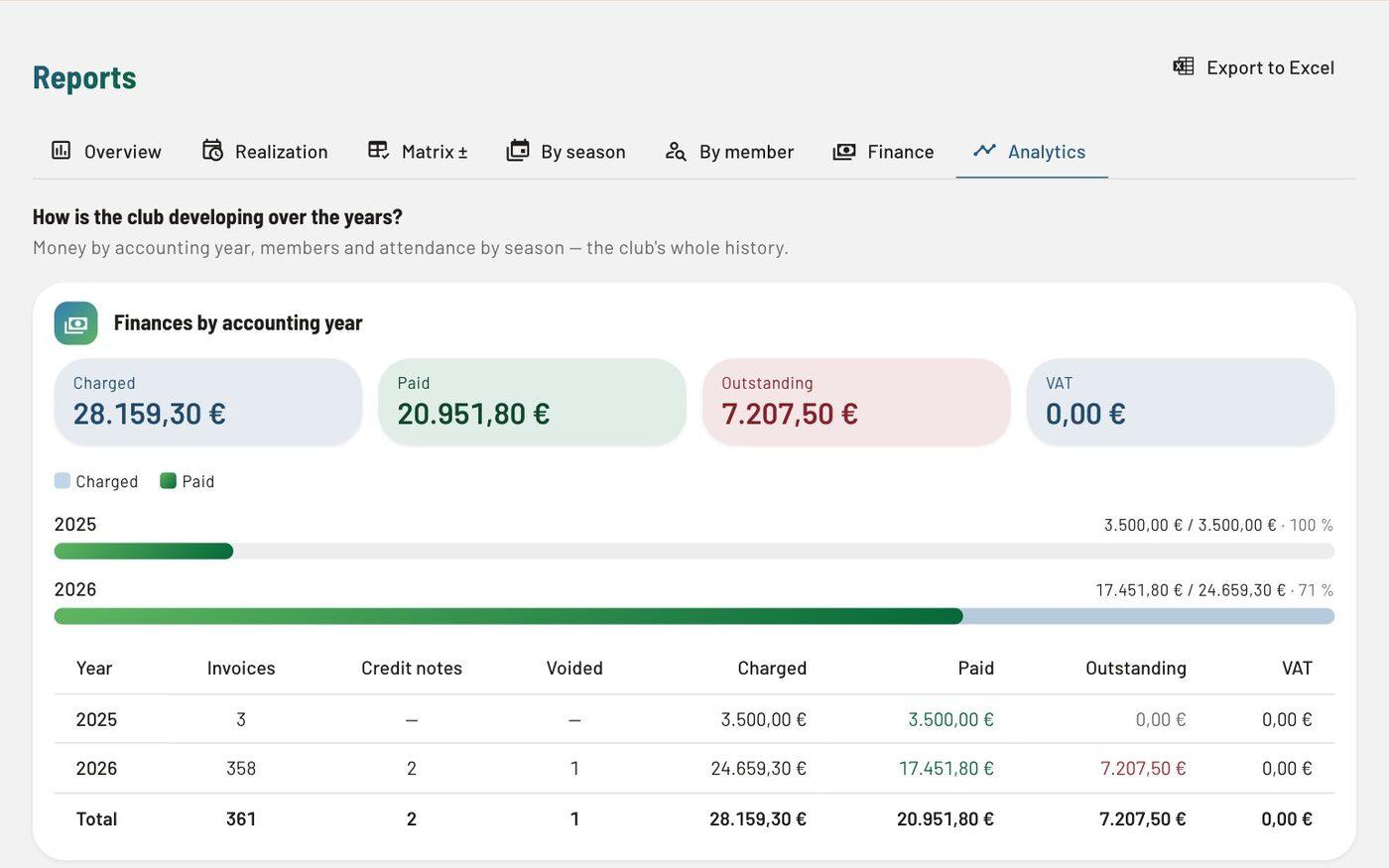
Delivery by group, member and season; only sessions that were held count. Export to Excel.
Invoiced, paid and open by business year, members by season — new ones and those who stay. Only people with the “View payments” right see the financial part.
A rate card by role and event type, per hour or per member present, holiday surcharges, a monthly pay run with approval and a statement for each coach; staff attendance is taken into account too.
In detail
What users say
We coaches at our club use Spletni portal primarily for recording attendance at trainings as we go and for producing monthly reports. Day to day it also serves as a tool for keeping a single record of trainings and preparing for them. With its ability to send SMS messages, it has been key in informing coaches, players, parents and also outside members of our club at bigger events and in exceptional situations. Within the club we are also making logistical adjustments so that we can soon start using the portal as a tool for sending monthly payment slips for training fees and any other costs too. The portal is certainly a handy thing that helps us run the bureaucratic side of club activities simply through the whole season, or indeed the whole calendar year.
Questions
Yes. You export members, invoices and reports to Excel, accounting data for your accountant, and for a single member you can prepare a personal data export (GDPR). Members can export their own data themselves.
Yes, at no extra cost. The Accountant role reads the invoice book, payments and reports, takes the Excel exports, enters received invoices and locks periods, but does not change issued invoices. An accountant working for several clubs switches between them without signing in again.
Related
Try every feature in the trial environment with made-up data — as an administrator, coach, member or parent.