Sales

An online shop and tickets for your club

Sell kit, match tickets and training packages. The buyer pays by bank transfer with a payment reference or by card — Clubsman issues the invoice and keeps the stock.

Shop: Silver and above · tickets, cards and visit packages: Gold or add-on

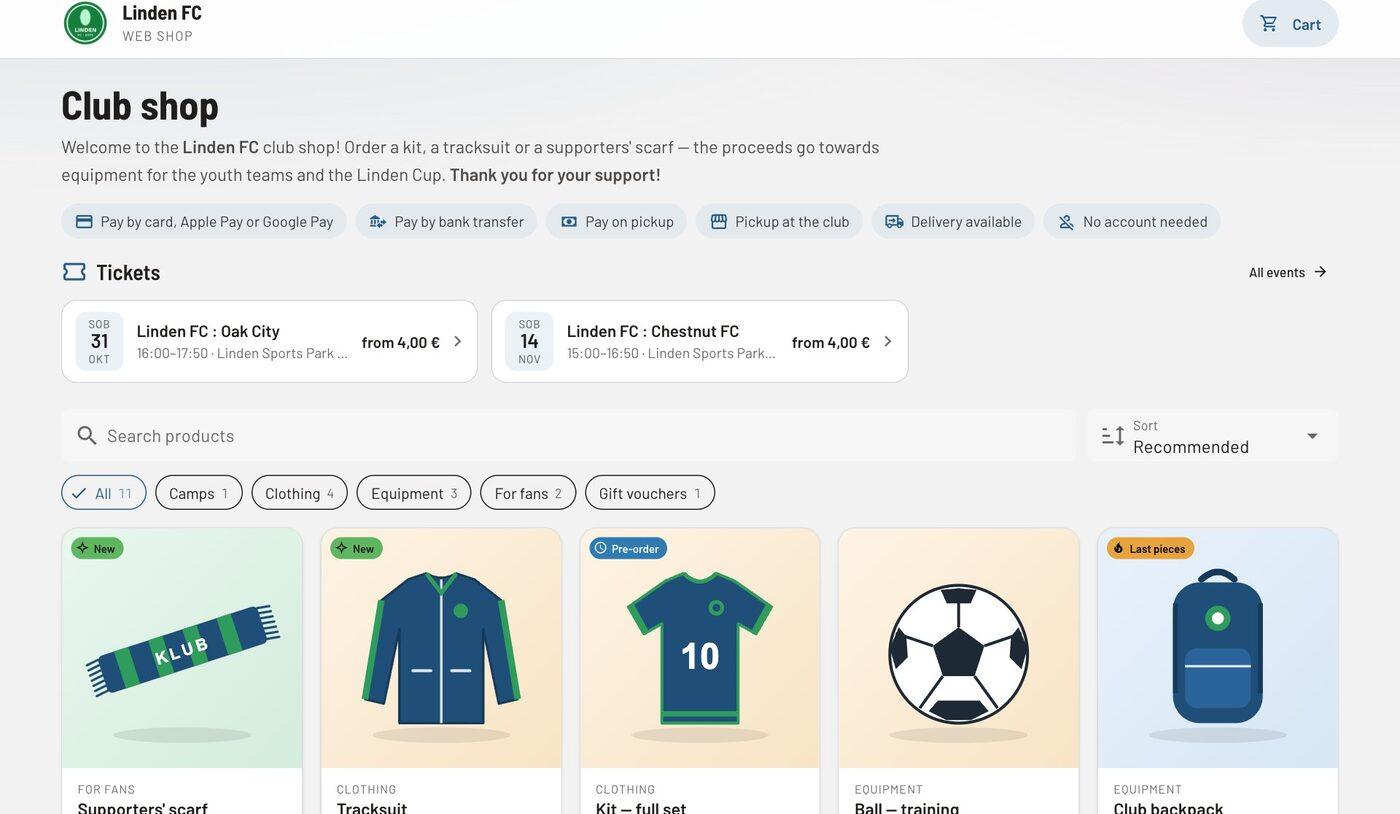
The public online shop of the sample club Linden FC with two matches on ticket sale, a search box, the categories Gift vouchers, Clothing, Equipment, Camps and For fans, and products.
The club’s public shop with matches and products.

At a glance

Online shop

The club’s public page with products, sizes, categories and coupons. Pick-up or delivery, a proforma invoice with a payment reference by e-mail; every order has one button for the next step.

Tickets with a QR code

Ticket types, sectors and season tickets, a PDF ticket with a QR code. Buying on a phone is quick — free tickets skip the payment step —, and “Event setup” tells you what is still missing before sales can start.

Scanner at the entrance

A full-screen answer in big words: “Valid”, “Already used at 18:42”, “Not paid” with the amount. It works offline and sends the scans by itself; volunteers get their own entrance link.

Card payments

Cards, Apple Pay and Google Pay through the club’s own Stripe account — the money goes straight to the club, and a card refund issues the credit note in the same step.

In detail
Shop and tickets: everything it does

Tickets

  • A new ticketed event from a match in the calendar: prices, capacity and a season ticket in the same window.
  • On the event day the list for offline use downloads by itself; after a network drop the scanner checks the connection itself and sends the waiting scans.
  • Members buy tickets at members’ prices after signing in, which brings them back to the same match.

Visit packages

  • Token packages (e.g. 10 visits) with a validity period and scope: groups, event types or sessions.
  • A token is used on confirmed attendance; cancelling a session gives it back.
  • Warnings when a package is running out of time or tokens.

Orders and stock

  • Orders in Clubsman and from the public shop: “All orders” opens on the open ones with the chips To prepare · To hand over · Unpaid.
  • Products in a table with price, stock and where they are sold.
  • Card refunds and credit notes in the same step.
  • The club shop also appears with the enrolment form if the club adds products.
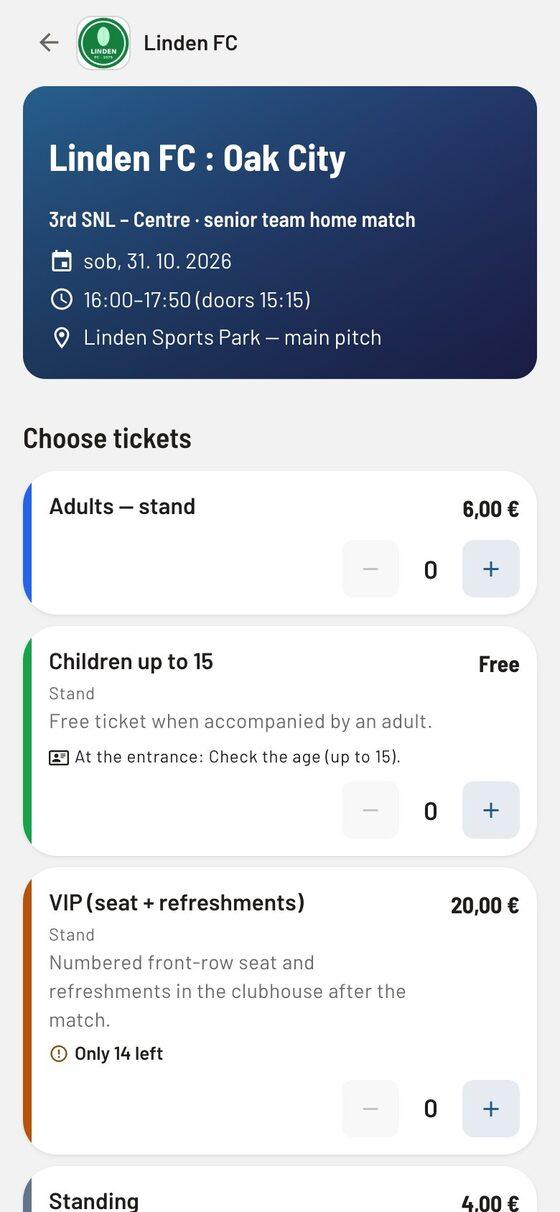
Buying tickets for a match on a phone with a choice of ticket type: adults €8.00 and children up to 14 €3.00.
Buying a ticket on a phone.
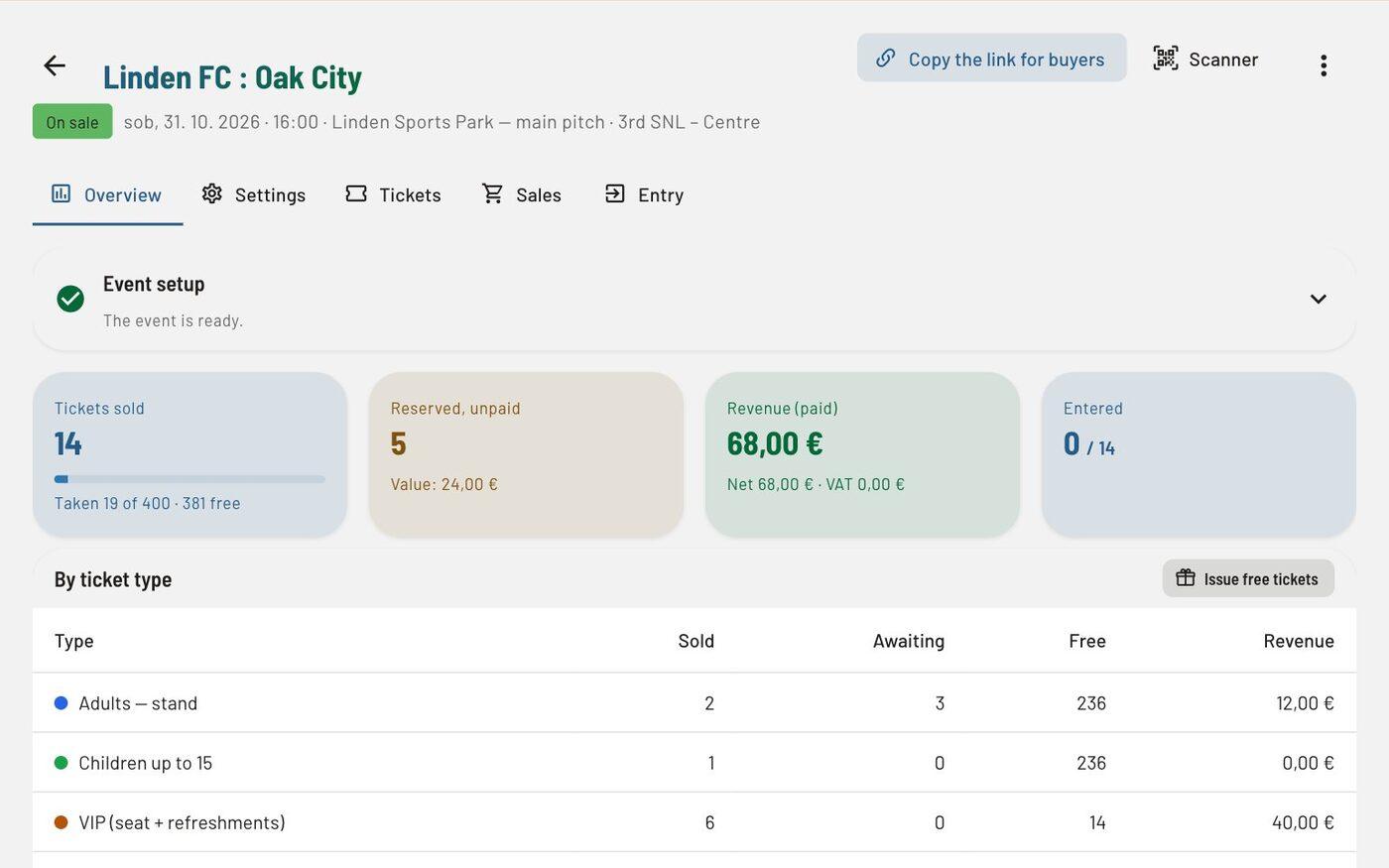
Ticket sales overview for a match: tickets sold, reserved and unpaid, revenue and entries, and a table by ticket type; the Scanner and Copy link buttons.
Sales, revenue and entries by ticket type.

Questions

Frequently asked questions

Who pays the fee for card payments?

The club connects its own Stripe account and is the merchant itself: the money goes straight to the club’s account, and Stripe charges its fee to the club. By default Clubsman adds no fee of its own.

Related

See how it works on a sample club

Try every feature in the trial environment with made-up data — as an administrator, coach, member or parent.